Reverse-engineering Instagram’s device ID
Following an HTTP header into an Android APK, learning Smali, and finding a small twist on UUID generation.
While experimenting with Instagram’s private API, I ran into a strange problem: requests using a UUID generated by Python’s uuid library were being rejected. An ID taken from the Android app worked.
The two values looked almost identical. That was enough to make me curious.
A UUID that wasn’t quite a UUID
The app sent a device identifier in the X-IG-Device-ID header. One value I observed looked like this:
9595474d-e663-4183-b1b1-2f42dc794059
Compare that with a regular UUID generated in Python:
383320ef-b7d2-4c38-9baa-f4e3bb65c0ec
At first glance, there is no obvious difference. Both have the familiar groups of hexadecimal characters separated by hyphens. But replacing the app’s identifier with my own resulted in bad requests on the endpoints I was testing.
That observation did not prove the identifier was the only thing Instagram checked. It did give me a useful question: how was the Android app generating it?
Learning enough Android to follow the trail
I've used Android development tools before, and I know ADB from flashing custom ROMs. For this investigation, I needed to get more familiar with DEX bytecode and Smali.
Two ideas helped me get started:
- DEX is the bytecode format used by Android applications. An APK contains one or more
.dexfiles. - Smali is a readable assembly-like representation of that bytecode. When a Java decompiler struggles, the underlying instructions can still tell you what the app does.
Unlike the Java Virtual Machine’s stack-based bytecode, Dalvik bytecode uses registers. For example, loading the integer 42 into a register can look like this:
const/16 v0, 42
I did not need to understand every instruction immediately. I needed enough to trace where a string came from and how it changed.
Finding the header in the APK
First, I used ADB to locate the installed package and copy its APK to my computer:
adb shell pm list packages
adb shell pm path com.instagram.android
# Use the APK path returned by the previous command:
adb pull /path/returned/by/pm/base.apk .
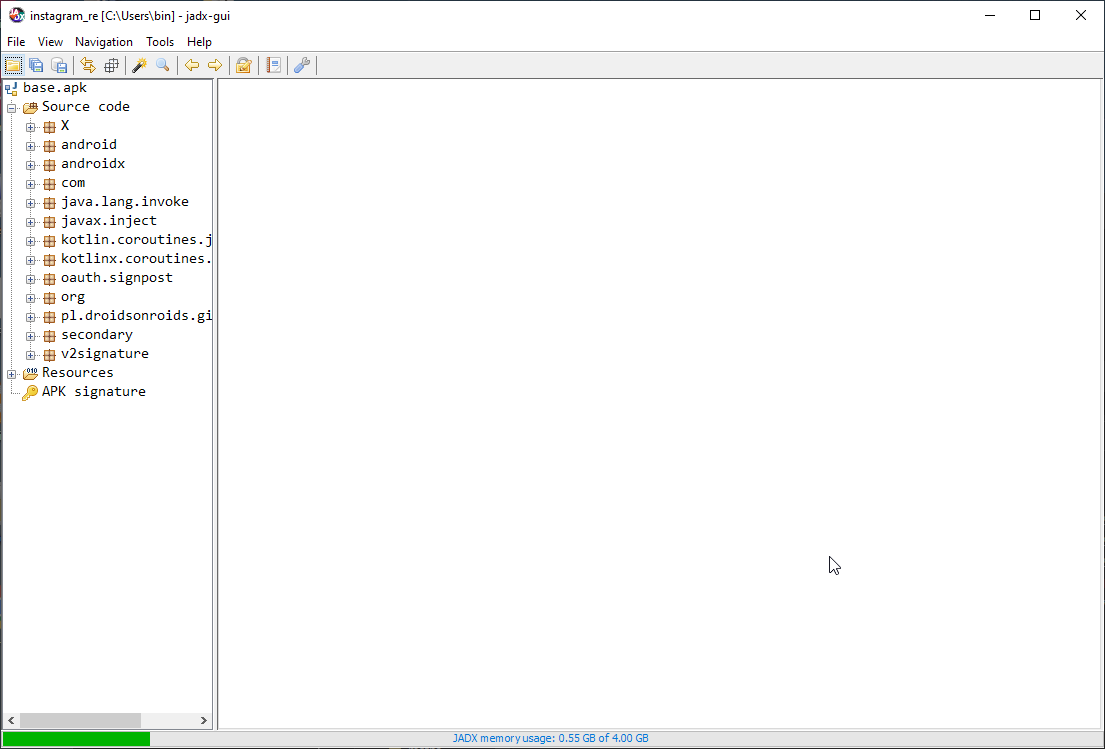
Then I opened the APK in JADX, which lets you browse decompiled Java and the underlying Smali.
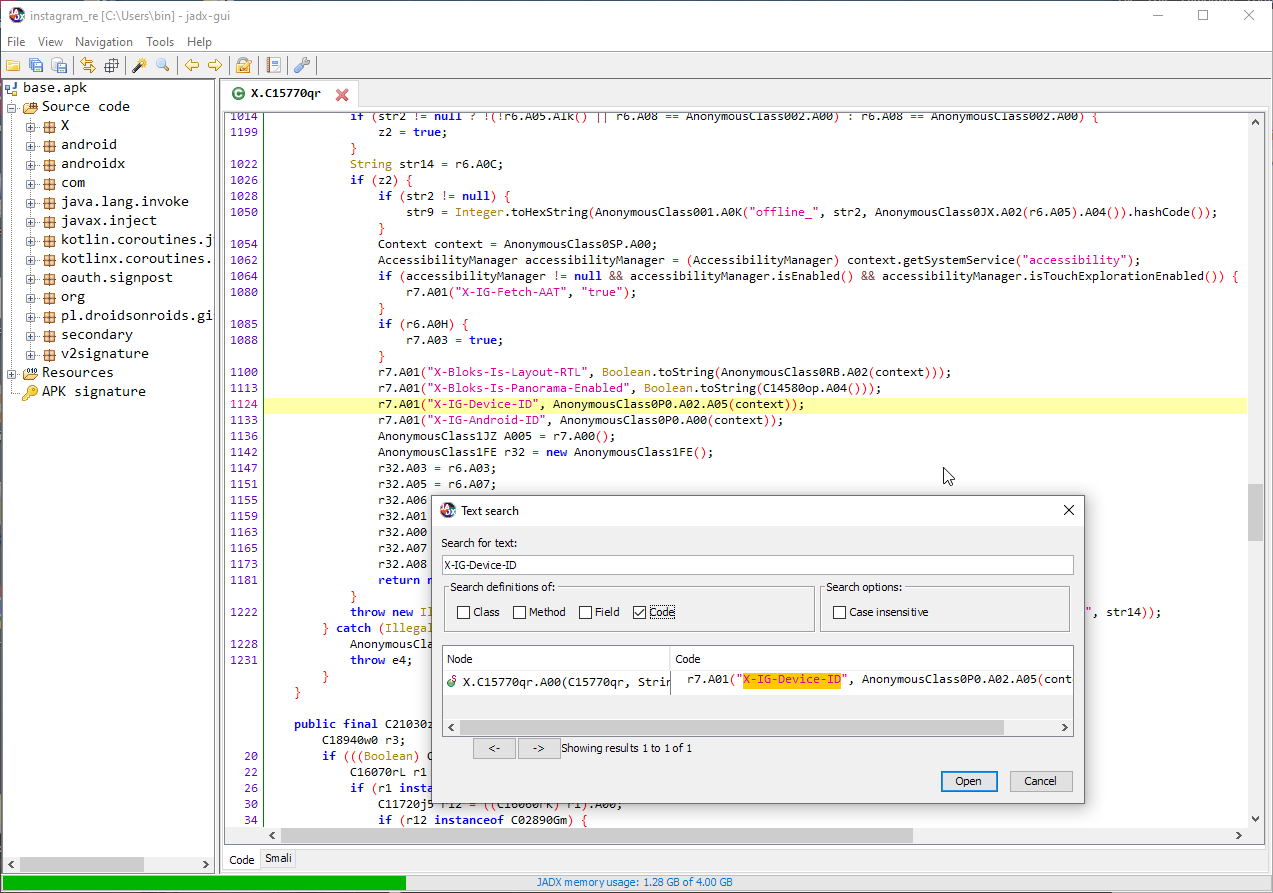
Searching for X-IG-Device-ID led to a call resembling this:
r7.A01("X-IG-Device-ID", AnonymousClass0P0.A02.A05(context));
The first method just added a key-value pair to a list:
public final void A01(String key, String value) {
    this.A05.add(new C17920uL(key, value));
}
The interesting part was the second argument: the result of A05(context).
When the decompiler gives up
JADX could not reconstruct that method cleanly as Java. Fortunately, its Smali view was still available.
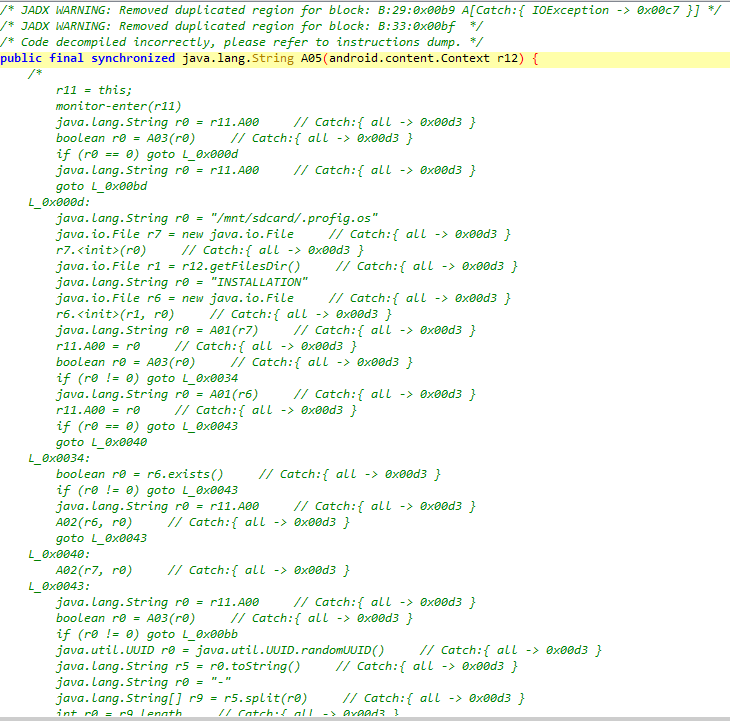
I switched to Smali, copied the method into a file, and started annotating it instruction by instruction. My notes are mostly in Polish, with plenty of question marks. I'm figuring this out as I go.
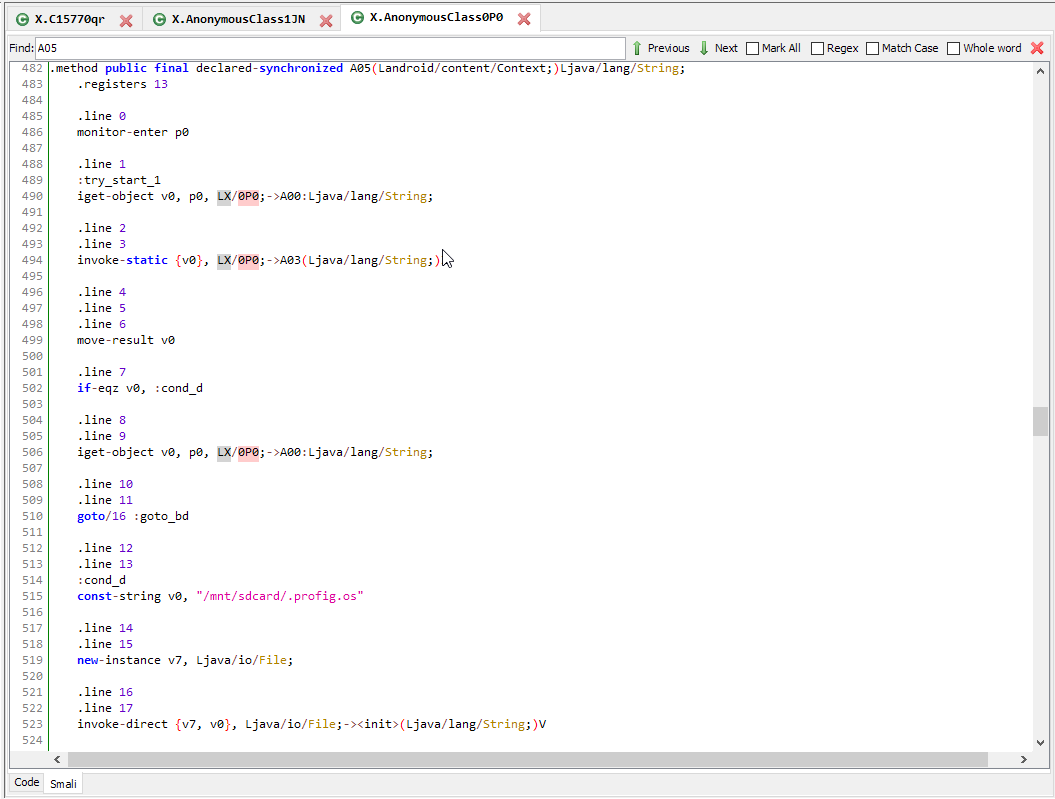
Before generating anything, the method tried to reuse an identifier. The code referred to /mnt/sdcard/.profig.os and an INSTALLATION file in the app’s files directory. It read stored values, checked them, and copied a value between the files in some branches.
If no acceptable identifier was available, it generated a new one. This was the branch I wanted to understand.
The small modification
The generation code began with an ordinary Java UUID:
UUID.randomUUID().toString();
It split the string on hyphens, then replaced the second segment with a value assembled from two pieces:
- A random integer from
0through14, converted to hexadecimal. - A time-derived number, also converted to hexadecimal.
The first piece came from new Random().nextInt(15). The upper bound is exclusive, so this produces the characters 0 through e, not f.
For the second piece, the code took the current time in milliseconds, subtracted a static field named A01, divided the difference by 1000, and added 1635 (0x663).
Here is the important part of the Smali, with the operations called out:
invoke-static {}, Ljava/lang/System;->currentTimeMillis()J
move-result-wide v2

sget-wide v0, LX/0P0;->A01:J
sub-long/2addr v2, v0

const-wide/16 v0, 0x3e8
# Divide the elapsed milliseconds by 1000.
div-long/2addr v2, v0

const-wide/16 v0, 0x663
# Add 1635.
add-long/2addr v2, v0

invoke-static {v2, v3}, Ljava/lang/Long;->toHexString(J)Ljava/lang/String;
The method combined the random hexadecimal digit and the time-derived hexadecimal string, then used replaceFirst to replace the UUID’s second segment.
For the example I started with, that segment was e663: a random e followed by 663, the hexadecimal representation of 1635.
Reconstructing it in Java
I rewrote the operations in Java to make them easier to follow. Here’s the result:
import java.util.Random;
import java.util.UUID;

public class GenerateDeviceId {
    // For this experiment, initialize the reference time at class load.
    // The app reads its reference time from a separate static field.
    private static final long REFERENCE_TIME = System.currentTimeMillis();

    public static String generate() {
        String uuid = UUID.randomUUID().toString();
        String secondSegment = uuid.split("-")[1];

        String randomHex = Integer.toHexString(new Random().nextInt(15));
        long elapsedSeconds =
            (System.currentTimeMillis() - REFERENCE_TIME) / 1000;
        String timeHex = Long.toHexString(elapsedSeconds + 1635);

        return uuid.replaceFirst(secondSegment, randomHex + timeHex);
    }

    public static void main(String[] args) {
        System.out.println(generate());
    }
}
One detail I still need to investigate is how the app initializes its static A01 field. In this experiment, I use System.currentTimeMillis() at class load. That lets me reproduce the operations, but it doesn’t establish the app’s reference time.
It also explains why the result looked so familiar. Most of the string still came directly from UUID.randomUUID(); only one segment had changed.
What I took away
The most useful part of this exercise was learning to keep going when a decompiler stopped being helpful. Searching for a header, tracing its value, and reading a small amount of Smali was enough to uncover behavior that was not obvious from the request itself.
I started out trying to understand one rejected request and ended up learning about DEX, registers, and Android’s storage of device identifiers. It was a fun investigation, and a good reason to get more comfortable reading Smali.